Monkeytype Alternatives: Typing Test Sites Compared
A factual look at Monkeytype, 10fastfingers, keybr.com and Typing Master — comparing languages, test modes, accounts and extras like lessons, races and certificates, with no pricing claims.
UniSoftware 5 min read
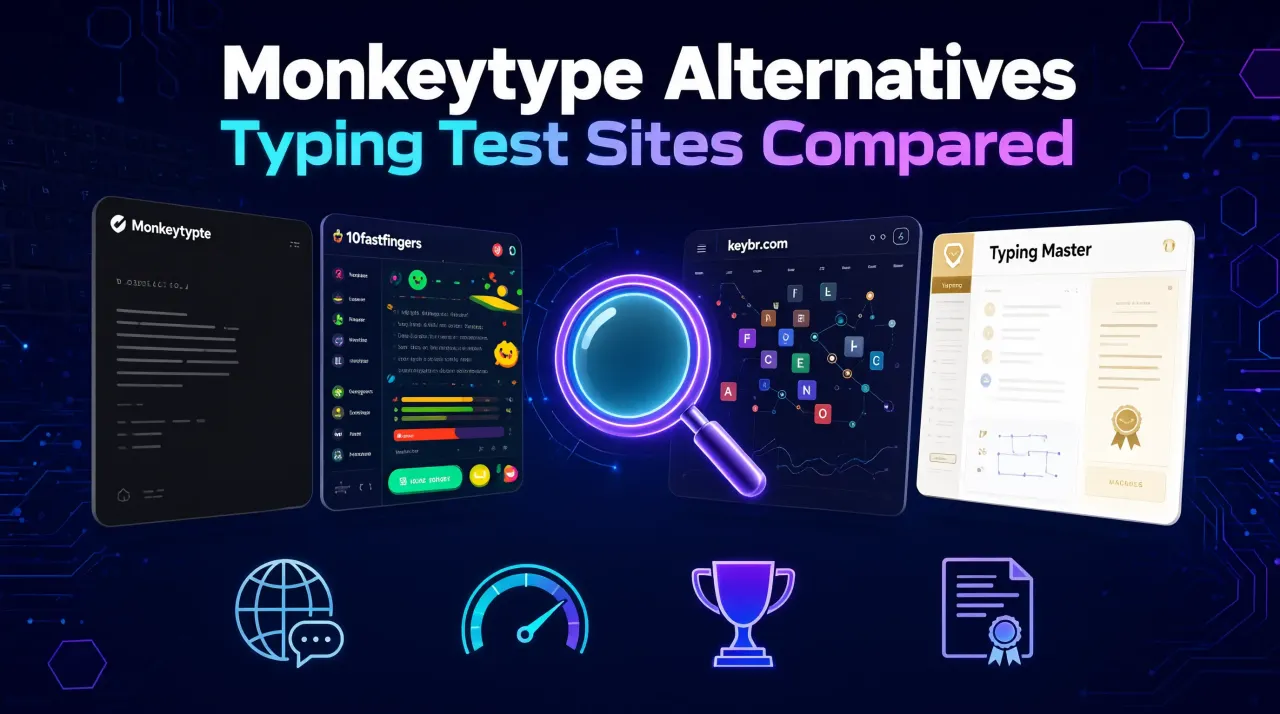
Looking for a Monkeytype alternative? Typing test sites differ mainly on languages supported, test modes and durations, whether an account is required, and extras like races, lessons or certificates. 10fastfingers, keybr.com and Typing Master each take a different approach - this comparison looks at what each one actually offers, with no pricing claims.
Key takeaways
- Monkeytype has a global, account-linked leaderboard (all-time, weekly, daily rankings); Typing Master's leaderboard is saved locally on your own device only.
- 10fastfingers and keybr.com both list dozens of languages; Typing Master supports 7 (English, Urdu, Hindi, Spanish, French, German, Arabic) with full interface translation, not just translated word lists.
- Typing Master is the only one of the four with a built-in downloadable PNG certificate and lessons; 10fastfingers and keybr.com offer multiplayer/race features against other people, while Typing Master races are against AI bots.
- None of the four sites requires an account just to run a basic typing test; accounts (where offered) add profiles, saved history or global rankings.
No signup needed - see the full Typing Master overview for every test mode, language and feature covered below.
What does Monkeytype offer?
Monkeytype describes itself as "a minimalistic, customizable typing test." Its test screen offers five modes - time, words, quote, zen and custom - plus punctuation and numbers toggles, with preset durations of 15, 30, 60 and 120 seconds. A language picker opens a searchable list with dozens of entries, including several English word-list sizes (such as "english 1k," "english 10k" and "english shakespearean"), plus Spanish, French, Nepali and many others. Running a test does not require an account - the test screen loads and works immediately; an account is only needed to save results to a profile. Monkeytype also has a dedicated, server-side global leaderboard with all-time, weekly and daily rankings, filterable by mode and language. No lessons, races or certificate feature were observed on the site. If you are deciding what a "good" result looks like, see what counts as a good typing speed in WPM.
What does 10fastfingers offer?
10fastfingers structures its practice around several distinct formats rather than one test screen: a 60-second Typing Test that pulls from "the top 200 words of each language," a Competition format described as 24-hour matches against other typists, a Multiplayer mode for racing up to 20 players live, a Text Practice option for typing any text you paste in, and a Custom mode for adjusting duration and word source. The site states its typing test covers over 40 languages, with multiplayer available in 54 languages. It includes leaderboards for comparing results with friends, a profile page described as a "personal dashboard" of records and rankings, and a points-and-levels progression system. No certificate or structured lesson feature is mentioned on the homepage, and the page does not explicitly state whether an account is required for every mode.
What does keybr.com offer?
keybr.com frames itself around learning rather than just measuring speed: its main Practice mode is an adaptive touch-typing drill that targets the keys you are weakest on, with on-screen keyboard highlighting and running speed, accuracy and score metrics as you type. The practice screen loads and works without signing in - a Sign-In option is available but not required to start. Separate navigation items exist for Profile, High Scores, Multiplayer, a standalone Typing Test and keyboard Layouts. Its language menu lists three dozen-plus language codes, including English, French, German, Spanish, Arabic, Japanese, Korean, Russian and Chinese variants. No certificate feature was observed. If an account-free, no-signup test is your priority, how the no-signup typing test works in general covers that angle in more detail.
Where Typing Master fits in
Typing Master is a free, no-signup typing test with five modes on its Test tab - Timed, Words, Quote, Code and Custom - with four timed durations (15s, 30s, 60s, 120s). While typing, it shows WPM, accuracy, time left, errors, raw WPM, net WPM and a streak counter. It supports seven languages with full interface translation, not just translated word lists: English, Urdu, Hindi, Spanish, French, German and Arabic - switching to Urdu renders the word list in right-to-left script and relocalizes the surrounding interface too. Beyond the test itself, Typing Master includes a Learn mode (5 levels, 15 lessons, each requiring 80% accuracy to unlock the next), a Race mode where you compete against three named AI opponents (SlowStarter, SteadyTyper, SpeedDemon) rather than other people, and a Leaderboard that is explicitly local to your device ("Saved on this device. Beat your own records.") with a per-finger error-rate heatmap. A Certificate page generates a downloadable PNG certificate of achievement, auto-filled from your most recent result. Every feature works with no login or account anywhere in the app. Full details on each mode are in the test modes and settings documentation.
| Site | Account required? | Multiple languages? | Extra modes (lessons/races/certificate)? |
|---|---|---|---|
| Monkeytype | Not required for a basic test (an account is needed to save results to a profile) | Yes - dozens of language/word-list options | No lessons or certificate observed; no races observed |
| 10fastfingers | Not stated on homepage | Yes - over 40 languages (54 in multiplayer) | Live multiplayer races and 24-hour competitions against other people; no certificate observed |
| keybr.com | Not required for Practice mode | Yes - three dozen-plus languages listed | Adaptive lesson-style practice and multiplayer; no certificate observed |
| Typing Master | Not required anywhere in the app | Yes - 7 languages with full interface translation (English, Urdu, Hindi, Spanish, French, German, Arabic) | 15 lessons across 5 levels, AI-bot races, and a downloadable PNG certificate |
Features change
Features change frequently - check each site's current page before deciding. This comparison reflects what was published at the time of writing and is not pricing or usage-limit information.
Ready to compare for yourself? Open the Typing Master software page for a full breakdown of its test, learn, race, leaderboard and certificate features.
What is a good Monkeytype alternative?
Do these typing test sites require an account?
Does Typing Master support languages other than English?
Does Typing Master have a global leaderboard?
Can I get a certificate for my typing speed?
What is a good typing speed (WPM)? — full guide