Free Typing Certificate: What It Shows and How to Get One
Typing Master generates a free, downloadable PNG typing certificate auto-filled from your real test or race result - no account needed. Here is what it shows and how to get yours.
UniSoftware 3 min read
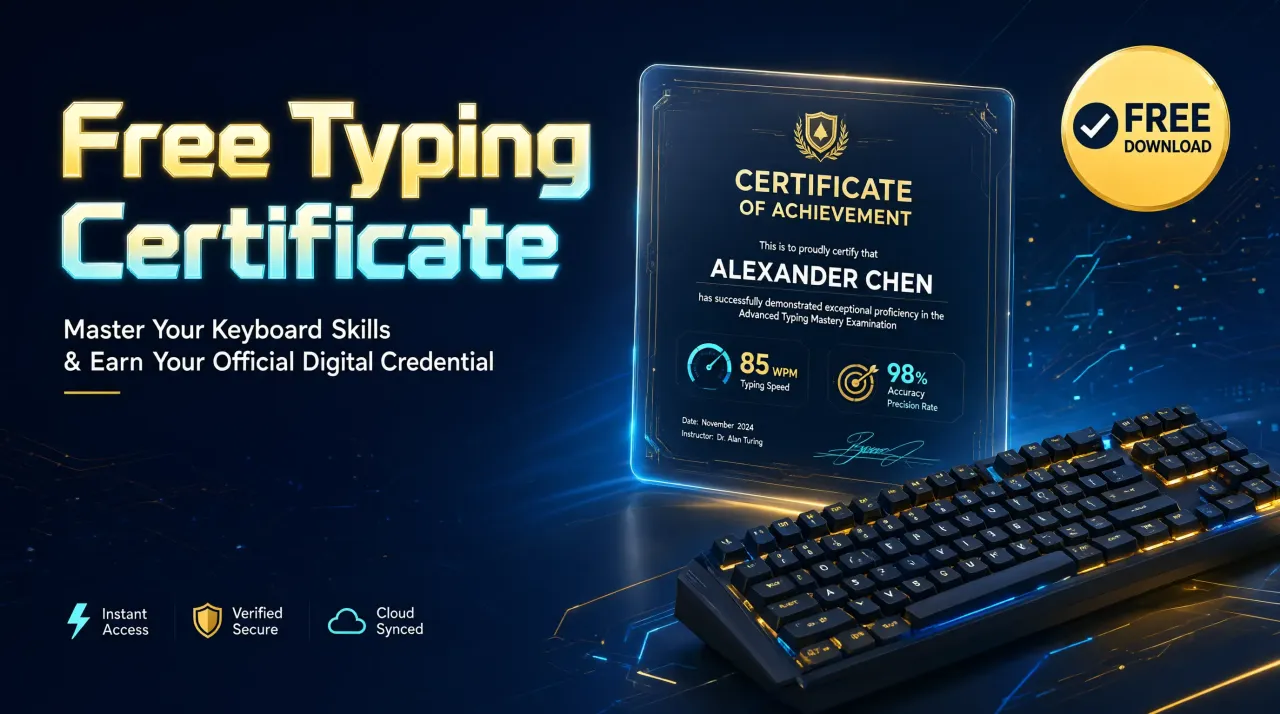
Typing Master generates a free typing certificate as a downloadable PNG image. Your name, test mode, WPM, accuracy and duration are auto-filled from your real last test or race result, with no signup, no login and no payment required.
Key takeaways
- Auto-filled from your own real test or race score, not a guess
- Downloadable as a PNG image you can keep or share
- Each certificate carries a unique certificate ID
- Completely free, with no account required
Take a free test first, then turn your result into a certificate - try it now at Typing Master's software page.
What does the Typing Master certificate show?
The certificate is styled as a "Certificate of Achievement." It states your name, a line noting you "demonstrated exceptional typing proficiency," and your speed in words per minute displayed prominently. Below that sits a summary line with your accuracy percentage, test mode and duration, followed by the issue date, a unique certificate ID string, and "Issued by TypingMaster" at the bottom.
How to get your own typing certificate
You need a real score first - take a quick test with no signup if you have not already. Then:
- Take a Test or Race in Typing Master and finish it, so you have a real WPM and accuracy result
- Open the Certificate page from the top navigation
- Your Name, Test Mode, WPM, Accuracy and Duration fields auto-fill with your real result
- Optionally edit the Name field, or adjust any value by hand
- Click "Download Certificate as PNG" to save the image, or use "Share" to send the link
Can you edit the certificate details?
Yes. While the Name, Test Mode, WPM, Accuracy and Duration fields auto-fill from your most recent result, each one is a plain editable field, so you can type in your own name or adjust a value before downloading.
What is the certificate good for?
Treat it as a personal record of a specific result, or a shareable graphic for social media, a resume portfolio section, or a classroom activity. It is generated instantly from your own browser data rather than issued or verified by any testing authority, so it works well as a motivating keepsake rather than a formally accredited qualification.
| Field | What it shows |
|---|---|
| Your Name | The name printed on the certificate (auto-filled, editable) |
| Test Mode | Which mode the score came from, e.g. Test - 60s |
| WPM | Your words-per-minute score |
| Accuracy | Your accuracy percentage on that result |
| Duration (seconds) | How long the test or race lasted |
| Date | The day the certificate was generated |
| Certificate ID | A unique ID string for that certificate |
| Issued by | "Issued by TypingMaster" |
How your data is handled
The certificate is generated entirely on your own device from your own locally stored results - there is no account and no server-side copy of your score. It works well as a personal or shareable achievement record, not as a formally accredited qualification. For the full picture of what is stored and where, see the certificate and leaderboard documentation.
Ready to generate your own? Start at the Typing Master software page and take a test first.
Is the typing certificate really free?
Can I put my own name on the certificate?
Does the certificate reflect my real typing score?
Can I share the certificate online?
Related Tools & Guides
Try Typing Master
How to Improve Your Typing Speed: 9 Practical Tips
Typing Test for a Job or Exam: What to Expect and How to Prepare