Free QR Code Generator (No Login): The Complete Guide to UNI-QR
A complete guide to UNI-QR, the free browser-based QR code generator: how to pick the right type, style it, keep it scannable, and print it correctly.
UniSoftware 6 min read
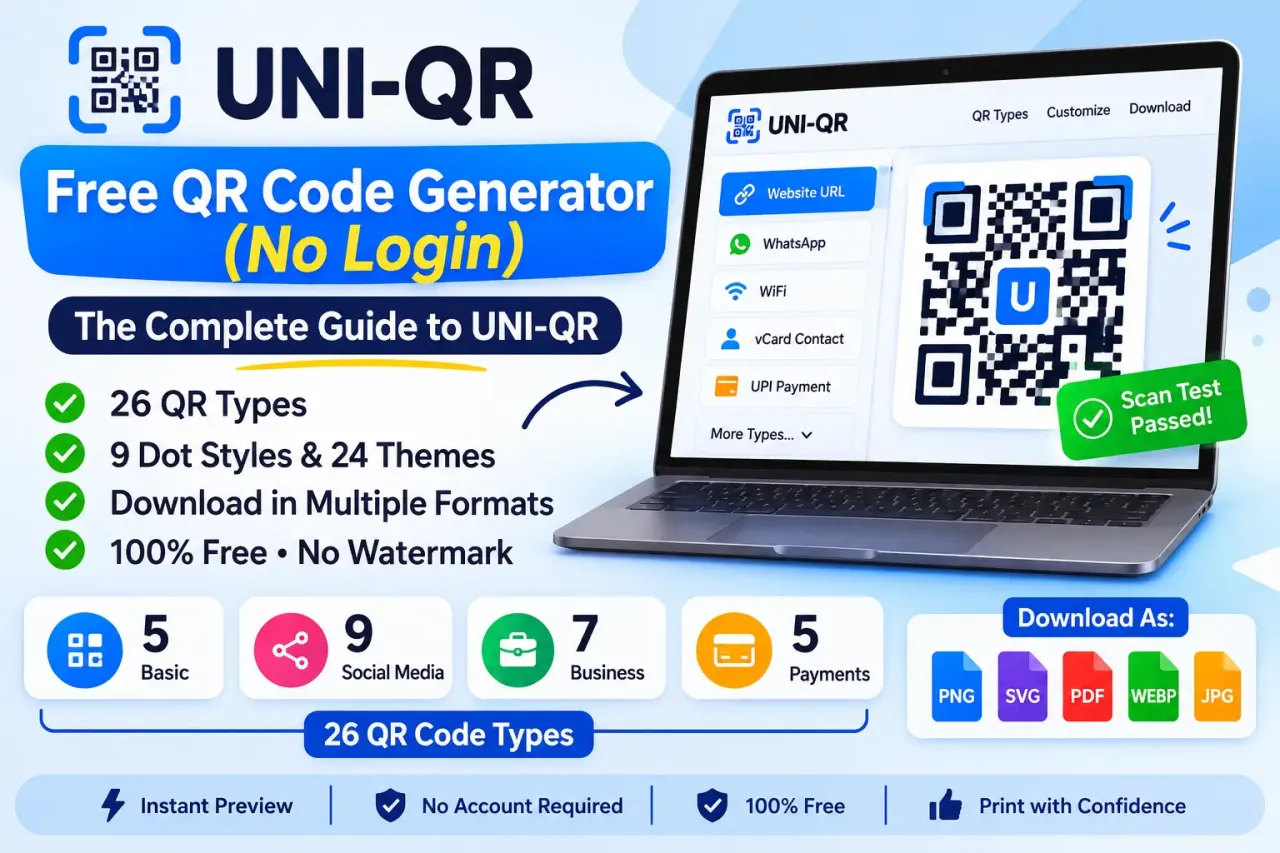
UNI-QR is a free QR code generator that runs entirely in your browser at qr.unisoftware.app: pick from 26 QR types, style the code with 9 dot styles and 24 themes, and download it as PNG, SVG, PDF, WEBP or JPEG - no account, no watermark. This guide covers choosing the right type, styling it safely, and printing it so it actually scans.
Key takeaways
- UNI-QR covers 26 QR types in four groups - Basic, Social media, Business and Payments - plus a separate Bulk QR tool for up to 50 codes at once.
- Every code UNI-QR builds is static: the data is stored directly in the code, so it never expires, but it also cannot be edited or tracked after printing.
- A denser code (more data, a logo, a low-contrast theme) needs a higher error-correction level and a real-device test before you print it in quantity.
- Everything you type is processed in your browser - the only exception is the optional "Smart link" setting for App Store/Play codes.
What UNI-QR actually offers
Every type gets its own short form - a link, a WiFi password, contact fields, a payment ID - and the QR code preview updates live as you type, with a "Scan test passed" badge confirming the code still decodes correctly after every change. See the full list, grouped with what to enter for each, in QR Code Types.
Choosing the right QR type
| If you want to... | Use this type |
|---|---|
| Share a link or your website | Website URL |
| Let people message you on WhatsApp | |
| Share your WiFi without reading out the password | WiFi |
| Share your contact details at an event | vCard contact |
| Let customers pay by scan | UPI, PIX, EasyPaisa/JazzCash, WeChat Pay or PayPal |
| Share a menu, brochure or other document | Restaurant menu or PDF document |
| Send people to your store listing | App Store / Play (with the device-aware Smart link option) |
| Share directions to a place | Google Maps |
For a deeper look at any one of these, see the dedicated guides linked at the end of this article, or the type-by-type tables in QR Code Types.
Static vs. dynamic QR codes
- Data stored directly in the code
- Works forever, no server needed
- Cannot be edited or tracked after printing
- Code points to a server-side redirect
- Destination editable after printing
- Scan counts and analytics
Every code UNI-QR generates today is static - your data is written directly into the code, so it works forever as long as that data does not change, and it needs no server to keep functioning. UNI-QR's homepage also previews a future "dynamic QR" dashboard, clearly labeled "Demo data - Dynamic QR coming soon" - that is a roadmap item, not something you can use yet. For the full trade-offs, see Static vs Dynamic QR Codes.
Styling without hurting scannability
UNI-QR's 9 dot styles, 5 corner-frame styles, 4 corner-dot styles, 24 themes, logo, gradient and frame options are purely cosmetic - they change how the code looks, not what it decodes to. The one thing to watch is error correction: a logo or a low-contrast color scheme makes a code harder to scan unless you raise the error-correction level (L, M, Q or H) to compensate. See Customize Your QR Code and Scan Reliability for the details, or the deep dive in QR Code Error Correction Levels Explained.
Downloading and printing
- Pick SVG for anything you'll print large or resize later - it stays sharp at any size.
- Pick PNG or JPEG (100-3000px) for a fixed-size image, web use or documents.
- Pick PDF (Single - A4) for a ready-to-print single sheet, or PDF (Sticker sheet - 12 per A4) for a batch of small labels.
- Keep the quiet-zone margin visible - cutting it too close can stop a phone camera from recognizing the code at all.
For a full format comparison and size guidance, see Download Formats and Printing.
A worked example: a WiFi code for a café counter
Open UNI-QR, choose the WiFi type, and type the network name and password exactly as they appear on the router - capital letters and spaces included - then pick the matching security type (WPA covers almost every modern router). The preview updates immediately, with a "Scan test passed" badge confirming the code still decodes correctly. From there, pick a theme that matches the shop's branding, add a frame with text such as "Scan for WiFi," and download the SVG for a crisp print on a table card. The whole process, from opening the page to a downloaded file, takes under a minute and needs nothing beyond the network name and password already written on the router.
Who UNI-QR is for
A small shop or café can put a WiFi code on the counter and a payment code at the till, cutting down on both "what's the WiFi password" questions and payment typos. A freelancer or tutor can put a vCard code on an invoice or a UPI/PIX code on a receipt. An event organizer can print a Google Maps code on an invitation and a WhatsApp code on a flyer for RSVPs. None of these need a developer, a paid tool or an account - just the free generator and a few minutes to style and download.
Privacy, in brief
UNI-QR processes everything you type in your browser and does not upload it to a server - the one documented exception is the optional Smart link setting for App Store/Play codes, which uses a small stateless redirect page to send iPhone and Android scanners to the right store. Your QR history and last design are saved in your browser's own local storage rather than an account, so they stay on the device and browser you created them in, and you can clear them at any time. See Privacy and Data for the full picture.
Go deeper: every QR type, explained
- Free WiFi QR Code Generator - sharing your network without reading out the password
- PDF QR Code Generator - linking to a hosted menu, brochure or document
- Free vCard QR Code Generator - sharing a contact card by scan
- Static vs Dynamic QR Codes - which one you actually need
- SVG and Transparent-Background QR Codes - when to use them
- Free WhatsApp QR Code Generator - let customers message you with a scan
- Free Google Maps QR Code Generator - give directions without typing an address
- Printable QR Code Sticker Sheets - 12 per A4, free
- QR Code Error Correction Levels Explained - L, M, Q, H and logos
Is UNI-QR really free?
Do I need to log in to use UNI-QR?
Does my data get uploaded anywhere?
Which QR code type should I start with?
Can I edit a QR code after I've printed it?
Is UNI-QR available in languages other than English?
Free WiFi QR code generator — no typing, no login